
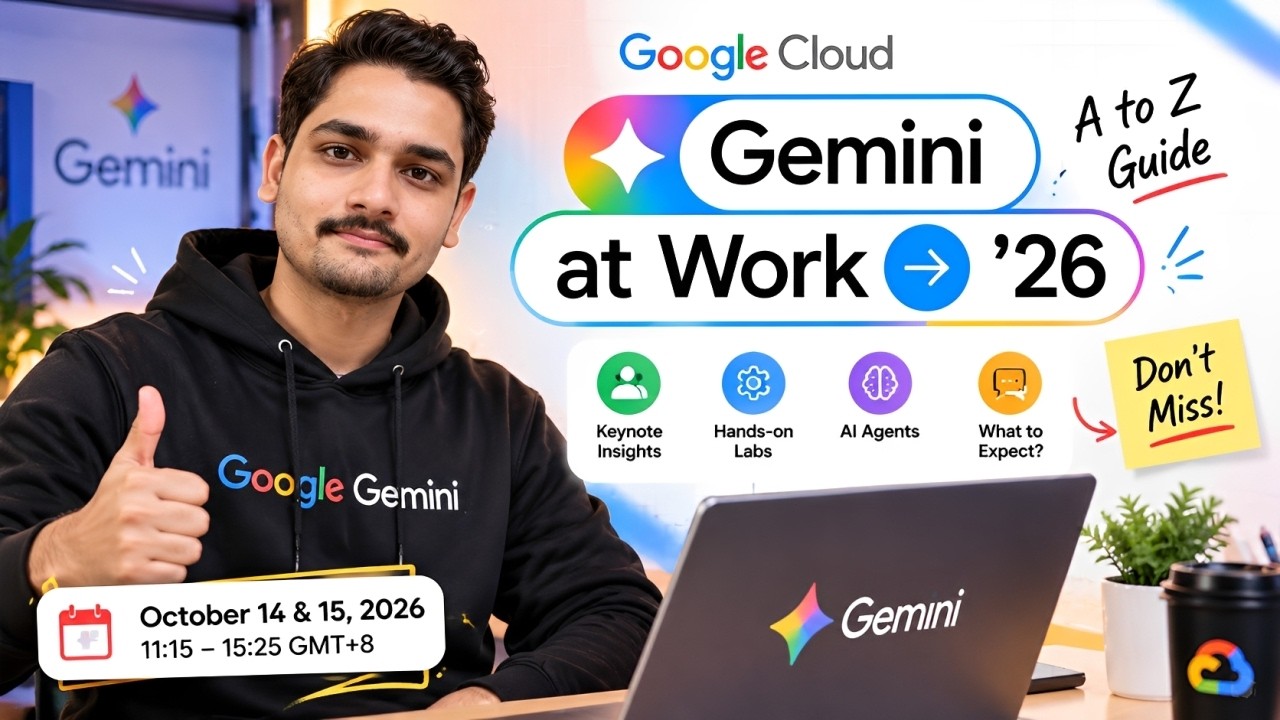
🤖 What Is Google Gemini at Work?
Google Gemini is Google's AI assistant designed to help people with everyday tasks such as writing, brainstorming, research, summarization, analysis, content creation and productivity.
For businesses and organizations, Gemini is integrated into Google Workspace so that AI assistance can appear directly inside familiar applications.
For example, Gemini can help you:
✉️ Draft and improve emails in Gmail
📝 Write and refine documents in Google Docs
📊 Analyze information in Google Sheets
📽️ Create and work with presentations in Google Slides
🎥 Create content with Google Vids
🤝 Take meeting notes with Gemini in Google Meet
💡 Brainstorm ideas using the Gemini app
🔎 Research and summarize information
⚙️ Automate certain repetitive workflows
Google's Workspace Learning Center specifically lists Gemini assistance across Gmail, Docs, Sheets, Slides, Meet, Vids and Google Workspace Studio.
💰 Is Google Gemini at Work FREE?
This is the BIG question.
The answer is: It depends.
There isn't one universal rule saying that everyone gets the full Gemini at Work experience for free.
Google currently provides different levels of access depending on whether you're using:
Personal Google Account
Work Google Account
School Google Account
Google Workspace subscription
Workspace edition / AI add-on
For example, Google says some Gemini web-app features can be used without signing in, while additional features require a Google Account. Work accounts need a qualifying Workspace edition, and school accounts depend on whether the service has been enabled by the institution's administrator.
So don't confuse free access to some Gemini capabilities with full premium AI features inside Google Workspace.
👨💻 Can You Use Gemini With a Work Account?
Yes, but your organization controls much of the access.
Google's documentation states that most users with a work or school Google Account have access to Gemini Apps, but feature availability and data handling depend on the Workspace license.
This means your company may provide Gemini access, but you might not have exactly the same limits or features as someone using another Workspace edition.
Your administrator may also control which services are enabled.
So if you are using your company's Gmail account and don't see a particular Gemini feature, it doesn't necessarily mean that Gemini is unavailable.
Your organization may simply have a different license or administrator configuration.
🏢 Gemini Inside Google Workspace
This is where things become really interesting.
Google has integrated Gemini into the applications people already use at work.
✉️ Gmail
Gemini can help you draft emails, summarize conversations and find important information.
📝 Google Docs
You can use AI assistance to brainstorm, write, refine and organize content.
📊 Google Sheets
Gemini can help analyze information and work with data.
📽️ Google Slides
AI can assist with creating presentations and visual content.
🎥 Google Vids
Gemini-powered features can help with video creation.
🤝 Google Meet
Gemini can help with meeting-related tasks, including taking notes.
⚙️ Google Workspace Studio
Google also provides tools for creating AI-powered workflows that can automate everyday tasks.
Google describes these capabilities as part of its broader Workspace AI experience.
🆓 What Can You Get Without Paying?
If you're simply interested in trying Gemini, you don't necessarily need to immediately purchase a Workspace subscription.
Google's Gemini Apps documentation says that some features can be accessed without signing in, while signing in unlocks additional functionality and the ability to save activity.
For people who want to experiment with AI, this means you can start by exploring the Gemini experience before deciding whether you actually need a paid plan.
However, the exact limits and available features can change, so always check Google's current pricing and product pages before subscribing.
🏢 What About Google Workspace's Free Trial?
If you're interested in trying Google Workspace itself, Google currently provides a 14-day free trial for new Workspace subscriptions.
Google states that the trial allows up to 10 users to explore Workspace features. A payment method is required during setup, but Google says it isn't charged until the trial ends.
There is an important India-specific detail too.
Google says that if you use NetBanking in India as the primary payment method, you may need to make a prepayment during setup to verify the account; that amount is applied as credit.
So if you're planning to test Workspace through the free trial, read the billing information carefully before starting.
🚀 What Is Premium AI in Google Workspace?
Google's current Workspace offering includes Gemini and Gemini Notebook in its paid Workspace plans.
Google's India Workspace page currently describes AI capabilities such as:
Gemini app
Gemini Notebook
Gemini inside Gmail
Gemini inside Docs
Gemini inside Sheets
Gemini inside Meet
Google Vids
Google Workspace Studio
Google also states that business data remains confidential and isn't used to train models or for advertising in its Workspace AI offering.
The exact AI capabilities and usage limits vary between Workspace editions.
📊 What About AI Expanded Access?
For organizations that need higher AI usage limits, Google also offers AI Expanded Access as an add-on.
According to Google's current documentation, AI Expanded Access is available for:
Business Standard
Business Plus
Enterprise Standard
Enterprise Plus
It provides higher access to certain advanced AI capabilities across Workspace applications.
For example, Google's current documentation lists higher limits for features involving Docs, Drive, Sheets, Slides, Vids and other Workspace services.
This is primarily relevant to organizations that need substantially more AI usage rather than someone simply experimenting with Gemini.
🎓 What About Students?
If you're a student, your situation can be different.
Google says school Google Accounts can access Gemini when the service is enabled by the institution's administrator.
So if your college provides Google Workspace for Education, check whether Gemini has been enabled for your account.
Don't assume that having a college Gmail account automatically gives you every Gemini feature.
Your institution's administrator and the applicable Workspace license determine availability.
💼 Why Is Gemini Useful at Work?
The biggest advantage isn't simply “having an AI chatbot.”
The interesting part is having AI inside the applications you're already using.
Imagine starting your workday with dozens of emails.
Instead of manually reading every thread, AI can help summarize important information.
Then you need to create a report.
Gemini can help you brainstorm and draft content.
You have a spreadsheet full of data.
AI can help you analyze and understand it.
You have a meeting.
Gemini can assist with meeting notes.
And when you're preparing a presentation, AI can help you create and organize content.
This is the broader idea behind Gemini at Work: bringing AI assistance into everyday workflows.
⚠️ But Don't Trust AI Blindly
Google itself warns that Gemini can make mistakes.
AI-generated information should be reviewed, particularly when dealing with important business information or professional decisions. Google's Workspace learning materials explicitly warn that Gemini features may suggest inaccurate or inappropriate information.
So use Gemini as an assistant, not as an unquestioned source of truth.
Always review:
Important emails
Business reports
Numbers
Customer information
Code
Legal or financial content
Sensitive information
before using AI-generated output.
🔐 What About Company Data?
Data privacy is especially important when using AI at work.
Google's Workspace documentation describes Gemini as having enterprise-grade security and privacy, and its Workspace AI offering says company data isn't used to train models or for advertising.
However, employees should still follow their organization's policies.
Never paste confidential company information into an AI tool unless your organization permits it.
Your company's security policy should always take priority.
🧑💻 How Can You Start Using Gemini at Work?
Here's a simple A-to-Z approach.
1️⃣ Check Your Account
Determine whether you're using:
Personal Google Account
Work account
School account
2️⃣ Check Your Workspace Plan
If you're using a company account, your available Gemini features depend on your organization's Workspace license.
3️⃣ Open Gemini
Try the Gemini web experience and see which features are available to your account.
4️⃣ Start With Simple Tasks
Don't immediately try complicated workflows.
Start with:
Email → Summarization → Brainstorming → Writing → Research → Analysis
5️⃣ Learn Better Prompting
Instead of writing:
“Write an email.”
Try:
“Write a professional but friendly email to my manager explaining that the project deadline needs to be moved by two days. Keep it under 120 words.”
Better context generally produces more useful results.
6️⃣ Explore Workspace Integration
Once you're comfortable with the standalone Gemini experience, explore how Gemini works inside Gmail, Docs, Sheets, Slides, Meet and other Workspace applications.
🎯 Is Gemini at Work Worth Learning in 2026?
If you already use Google Workspace regularly, understanding Gemini can be extremely useful.
You don't need to become an AI engineer.
You simply need to understand:
What Gemini can do → Where it can help → How to prompt it → How to verify the output → How to use it responsibly
That's enough to start improving everyday productivity.
🔥 The Most Important Thing to Remember
Don't believe every post saying:
“Google Gemini at Work is completely FREE for everyone!”
That's an oversimplification.
Some Gemini capabilities are available without paying, while more advanced Workspace features depend on your account, subscription, administrator settings and applicable usage limits.
So before subscribing or assuming you have access to a particular feature, check Google's current official documentation and the Workspace plan associated with your account.
🔗 Official Google Resources
🤖 Gemini Apps
Google Gemini Help & Access
🏢 Google Workspace with Gemini
Google Workspace AI for Business
📚 Gemini API / AI Developer Resources
Google AI for Developers
🎓 Google Workspace AI Training
Google Workspace Generative AI Training
🚀 Final Thoughts
Google Gemini at Work 2026 isn't just another AI chatbot.
Google is integrating AI directly into the tools people already use every day — Gmail, Docs, Sheets, Slides, Meet, Vids and more.
And while some Gemini functionality is available without paying, full Workspace AI access isn't universally free. Your available features can depend on your Google account, Workspace edition, organization and administrator settings.
If you're a student, developer, employee, freelancer or business owner, it's worth spending some time learning how Gemini fits into your daily workflow.
Because in 2026, the important question isn't just:
“Do I know AI?”
It's:
“Do I know how to use AI effectively in my everyday work?” 🚀🤖
Link To Register For The Program: https://shorturl.at/nI87a