
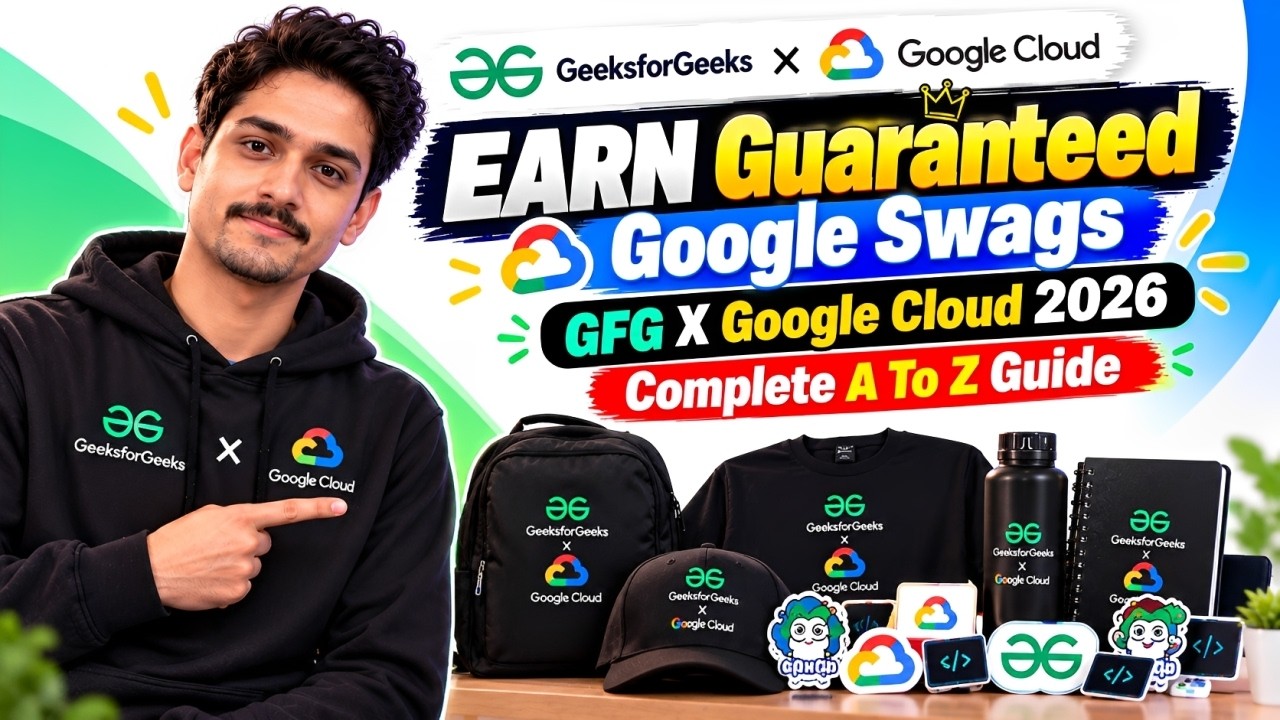
☁️ What Is GFG × Google Cloud Learn with Communities?
This campaign is a collaboration between GeeksforGeeks and Google Cloud designed to help students and developers build practical cloud computing skills.
Instead of only watching tutorials, you'll use Google Skills to complete hands-on labs and earn skill badges.
🎯 What Can You Get?
☁️ 9 Google Skills credits after redeeming your access code
🎁 200 additional free credits after completing your first hands-on lab
🏅 Google Cloud Skill Badges
📜 An exclusive Google-branded certificate for completing at least five skill badges
🎁 A chance to win GeeksforGeeks-exclusive swag
💻 Practical experience with cloud technologies
📈 A stronger public Google Skills profile
Remember: The certificate and swag are different rewards. Swag is advertised as a chance to win, not a guaranteed gift for everyone who registers.
🎁 Does Everyone Get Guaranteed Google Swags?
Let's clear up the biggest doubt!
Reward
What the official campaign says
Google Skills learning credits
Available to correctly enrolled participants
Google Cloud Skill Badges
Earn them by completing the required labs
Google-branded certificate
Advertised for completing 5 or more badges
GfG-exclusive swags
Chance to win; not guaranteed for everyone
So, don't register expecting an automatic swag delivery.
The main goal is to complete the learning activities and follow the reward-claim process correctly.
🚀 How to Register — Step-by-Step Guide
Step 1: Create a New Google Skills Account
Visit Google Skills and create a new account using a fresh email address.
The campaign requires an eligible new Google Skills account created after September 14, 2026. The GfG campaign page advises using an account created after September 15, so follow that stricter requirement.
Make sure your Google Skills profile is set to Public, so your badges can be verified.
Step 2: Complete the GeeksforGeeks Enrolment Form
Visit the official GfG × Google Cloud enrolment form.
While filling it out:
Select your correct participant category.
Choose GeeksforGeeks as your partner.
Enter the referral code: NRVC72
Provide the correct email associated with your new Google Skills account.
Developers must also provide the required developer profile information.
⚠️ Important: You can enrol through only one partner for this campaign. Multiple partner submissions can cause the latest submission to be treated as the valid one.
Step 3: Wait for Your Access Code
After your enrolment is processed, you'll receive a personal access code.
The GfG page advises checking approximately two days after registering because codes are generated in batches.
You can also use the official GfG access-code page.
Step 4: Redeem Your Credits
Follow the redemption instructions and use your personal access code.
Once redeemed, you should receive the campaign's starting Google Skills credits.
Never share your personal access code with anyone else.
Step 5: Start Completing Your Labs
Open the recommended learning track and start completing the Google Cloud labs.
Each completed course or activity can help you progress toward earning the required skill badges.
🏅 The Badge Rush: Don't Miss the Dates!
The official campaign page advertises a special Badge Rush activity.
The listed reward requirements are:
Complete five Google Cloud Skill Badges between October 16 and October 21, 2026.
Publish a public LinkedIn post about your five badges.
Copy the URL of your published post.
Submit the official reward-claim form.
Wait for the campaign team to verify your submission.
The campaign page says verified rewards should arrive within 15–20 business days after verification.
Since the Badge Rush window is short, check the official campaign page for the latest requirements and availability.
👥 Which Track Should You Choose?
The campaign provides two learning tracks.
🎓 Student Track
Suitable for students who want to build a foundation in cloud computing.
You'll work through beginner-friendly concepts and a curated set of Google Cloud Skill Badges.
💻 Developer Track
Designed for aspiring and working developers who want to explore a more advanced learning path.
Developers must also complete the additional GEAR program step and provide their Google Developer profile URL as instructed by the campaign.
Choose the track that accurately describes you. Don't select a category just because you think it offers better rewards.
📅 Important Dates
Activity
Date
Badge Rush activity
October 16–21, 2026
Registration deadline
October 31, 2026, 11:59 PM IST
Reward delivery
Within 15–20 business days after verification, according to the campaign page
Seats are limited, so don't leave enrolment until the last minute.
⚠️ Common Mistakes to Avoid
❌ Using an old Google Skills account
❌ Keeping your profile private
❌ Selecting the wrong partner
❌ Entering an incorrect email address
❌ Registering through multiple partners
❌ Forgetting to publish your badge post
❌ Forgetting to submit the reward-claim form
❌ Assuming registration guarantees swag
Instead, follow the official instructions carefully and keep your badges and submission details ready.
💡 Why Should You Participate?
Even if you don't win the merchandise, the learning experience can be valuable.
You can:
Build practical Google Cloud skills.
Earn verifiable skill badges.
Understand cloud infrastructure and services.
Improve your technical profile.
Share your learning progress with recruiters.
Get hands-on experience without paying for the campaign's learning credits.
For students preparing for internships and placements, practical cloud knowledge can be a useful addition to Java, Python, backend development, and other technical skills.
🏁 Final Verdict
The GFG × Google Cloud Learn with Communities 2026 campaign is worth exploring if you want to learn cloud computing through hands-on labs.
You can get learning credits, earn Google Cloud Skill Badges, and qualify for the advertised certificate by completing the required badges. Exclusive GfG swag is a chance to win, not a universal guarantee.
🔥 Your Action Plan
Create a new account → Register through GfG → Redeem your credits → Complete labs → Earn badges → Follow the reward-claim instructions.
Don't miss the Badge Rush requirements if you want to try for those rewards!
For more Google Cloud opportunities, hackathons, internships, free learning programs, and developer goodies, follow Btecky. 🚀
Happy Learning! ☁️🎁
Official Resources
GfG × Google Cloud campaign page
Registration form
Google Skills
Access-code page
Complete this 5 Skill Badge: The Basics of Google Cloud Compute Course URL: https://www.skills.google/course_templates/754
Configuration Service Accounts and IAM Roles for Google Cloud Course URL: https://www.skills.google/course_templates/702
Create Your First Gemini Enterprise Application Course URL: https://www.skills.google/course_templates/1586/
Develop AI-Powered Prototypes in Google AI Studio- https://www.skills.google/coursetemplates/1426?utmsource=chatgpt.com
Analyze Images with the Cloud Vision API - https://www.skills.google/coursetemplates/633?utmsource=chatgpt.com
Build a Website on Google Cloud - https://www.skills.google/coursetemplates/638?utmsource=chatgpt.com