
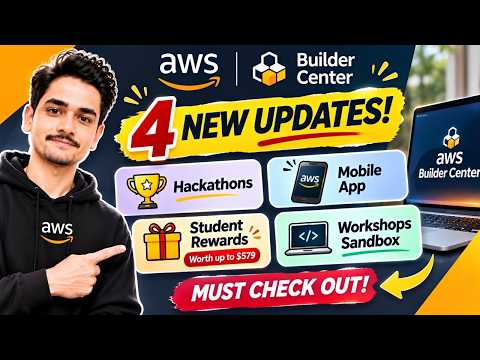
🚨 AWS JUST DROPPED 4 BIG UPDATES! 😱 | FREE Rewards Worth $579 + New Opportunities for Developers!
Hey developers, students, and tech enthusiasts! 🚀
Amazon Web Services (AWS) has introduced four exciting updates on AWS Builder Center, bringing new opportunities for developers and students to learn, build, connect, and earn rewards.
If you are interested in Cloud Computing, AI, Hackathons, AWS certifications, and hands-on learning, you should definitely explore these updates!
And the best part?
Eligible university students can unlock AWS Student Rewards worth up to $579! 🎁
From exciting hackathons and a brand-new mobile app to free hands-on workshops and student-exclusive rewards, there's something for every developer.
Let's explore all four updates!
☁️ What Is AWS Builder Center?
AWS Builder Center is the official community platform for developers and cloud enthusiasts.
It brings together everything you need to grow as a developer in one place.
You can:
- Discover AWS hackathons and build challenges.
- Explore technical articles and tutorials.
- Follow experienced developers and AWS experts.
- Join developer communities.
- Access hands-on workshops.
- Learn about new AWS technologies.
- Earn badges and unlock student rewards.
Whether you're a beginner or an experienced developer, AWS Builder Center offers resources to help you improve your skills.
🔥 UPDATE 1: Explore AWS Hackathons & Build Challenges
The first major update is for developers who love building projects and participating in hackathons!
AWS Builder Center has a dedicated Hackathons section where you can discover different building challenges.
These challenges allow developers to work on real-world problems, experiment with AWS services, and showcase their creativity.
What Can You Do?
- Discover ongoing AWS hackathons.
- Participate in individual or team challenges.
- Build AI-powered applications.
- Experiment with AWS services.
- Submit your projects for evaluation.
- Compete for exciting prizes and AWS rewards.
Why Should You Participate?
Hackathons are an excellent way to gain practical development experience.
You can build portfolio projects, improve your technical skills, collaborate with other developers, and get recognition from the AWS community.
Pro Tip: Regularly check the Hackathons section because new challenges and competitions are added throughout the year.
📱 UPDATE 2: AWS Builder Center Mobile App – Now Available!
Yes! AWS Builder Center is now available as a mobile application for both Android and iOS users.
You no longer need to open your laptop every time you want to explore the AWS developer community.
You can access Builder Center directly from your smartphone.
What Can You Do With the Mobile App?
- Read trending AWS articles.
- Follow developers and AWS experts.
- Explore technical communities.
- Browse AWS workshops.
- Discover developer events.
- Manage your Wishlist.
- Receive notifications about topics you follow.
- Stay connected with the AWS Builder community.
📲 Download the AWS Builder Center App
For Android Users:
Download the AWS Builder Center application from Google Play Store.
For iPhone Users:
Download the AWS Builder Center application from Apple App Store.
You can sign in using your existing AWS Builder ID and access your community activities across devices.
Important: The mobile application is free to download and use.
🎁 UPDATE 3: AWS Student Rewards – Unlock Rewards Worth $579!
Now comes the most exciting update for university students!
AWS has introduced the Student Rewards Program on Builder Center.
Verified university students can unlock resources worth up to $579 by completing their profile and earning badges through community activities.
Let's break down the complete reward structure.
🏆 Reward 1: 12 Months of AWS Skill Builder Premium
<badge color="success">Welcome Reward</badge>
After successfully verifying your student status and completing your Builder Center profile, you can unlock:
12 Months of AWS Skill Builder Premium
<text color="success" weight="semibold" size="xl">$449 Value</text>
This subscription provides access to:
- 900+ learning courses.
- Hands-on learning labs.
- AWS certification preparation.
- Game-based learning.
- Cloud Computing training.
- AI and Machine Learning resources.
💰 Reward 2: Earn $10 AWS Credits
<badge>7 Badges</badge>
Earn your first 7 Builder Center badges to unlock:
$10 AWS Promotional Credits
These credits can help you experiment with eligible AWS services.
💰 Reward 3: Earn Another $20 AWS Credits
<badge>14 Badges</badge>
Continue participating and reach 14 badges to unlock:
Additional $20 AWS Promotional Credits
Your total AWS credits will now reach $30.
🎓 Reward 4: FREE AWS Certification Exam Voucher
<badge color="success">21 Badges</badge>
This is another exciting milestone!
Earn all 21 required Builder Center badges to unlock:
$100 AWS Foundational Certification Exam Voucher
The voucher can be redeemed toward the AWS Certified Cloud Practitioner examination.
🎁 Complete AWS Student Rewards Breakdown
| Milestone | Reward | Value |
|---|---|---|
| Student verification + profile | 12-month Skill Builder Premium | $449 |
| 7 badges | AWS Credits | $10 |
| 14 badges | Additional AWS Credits | $20 |
| 21 badges | Foundational Certification Voucher | $100 |
| Total | Complete Rewards Package | $579 |
<badge color="success" size="lg">TOTAL VALUE: $579</badge>
Important: These are digital learning resources, AWS credits, and certification benefits. The $579 reward package is not a physical swag bundle or cash payment.
👨🎓 Who Is Eligible for AWS Student Rewards?
To participate, you generally need to:
- Be at least 18 years old.
- Be currently enrolled at an eligible university or higher education institution.
- Have an AWS Builder Center account.
- Complete student verification through SheerID.
- Complete your Builder Center profile.
The program is available in eligible countries and regions. Check the official eligibility requirements before applying.
📋 How to Claim AWS Student Rewards?
Follow these steps:
Step 1: Visit AWS Builder Center.
Step 2: Sign in using your AWS Builder ID.
Step 3: Open the Student Rewards section.
Step 4: Complete your student verification through SheerID.
Step 5: Complete your Builder Center profile by adding your profile picture and About section.
Step 6: Unlock your 12-month Skill Builder Premium subscription.
Step 7: Start earning badges by publishing articles, commenting, and participating in community activities.
Step 8: Reach 7, 14, and 21 badges to unlock the additional rewards.
Remember, you need to complete the required milestones to claim the corresponding rewards.
🧪 UPDATE 4: Free AWS Workshops Sandbox – Learn Without an AWS Account!
This is one of the most useful updates for beginners!
AWS Builder Center now offers free sandbox environments for eligible hands-on workshops.
Previously, many developers used their personal AWS accounts to follow practical tutorials. This could create concerns about unexpected AWS charges.
With the new sandbox experience, you can complete selected workshops using a pre-provisioned AWS environment.
What Is AWS Workshop Sandbox?
An AWS sandbox is a temporary, pre-configured AWS environment where you can experiment with AWS services and complete practical exercises.
Benefits of Free AWS Sandbox
- No personal AWS account required for the sandbox.
- No credit card required.
- No concerns about unexpected charges from your own AWS account during sandbox use.
- Pre-configured learning environment.
- Guided hands-on tutorials.
- Automatic resource cleanup.
⏰ Important Sandbox Limits
| Feature | Details |
|---|---|
| Sandbox Duration | 8 Hours |
| Availability | One sandbox per week |
| Reset | Every Sunday |
| Setup Time | Usually around 15 minutes |
| Cost | Free for eligible sandbox workshops |
How to Access Free AWS Sandbox?
- Open AWS Builder Center.
- Visit the Workshops section.
- Find a workshop that supports free sandbox access.
- Click Request Free Sandbox Environment.
- Wait for the environment to be provisioned.
- Start completing your hands-on AWS exercises!
Note: Not every workshop necessarily offers a sandbox. Look for the free sandbox option on eligible workshops.
🚀 Why Should Every Student Developer Explore AWS Builder Center?
These four updates create several opportunities for students and developers.
Here's what you can gain:
- Learn AWS Cloud Computing.
- Build real-world projects.
- Participate in developer hackathons.
- Earn AWS Builder Center badges.
- Unlock up to $579 in Student Rewards.
- Get 12 months of premium learning resources.
- Work toward an AWS certification.
- Practice AWS technologies through free sandbox environments.
- Connect with developers worldwide.
Instead of only watching tutorials, you can learn, build, publish, and showcase your work.
⚠️ Important Things to Remember
Before getting started, keep these points in mind:
- AWS Builder Center is free to join.
- Student Rewards require successful student verification.
- The $579 value is the combined value of eligible rewards.
- The certification voucher requires 21 badges.
- AWS credits are not direct cash rewards.
- Sandbox environments are time-limited.
- Only selected workshops support sandbox access.
- Hackathon prizes depend on the individual challenge rules.
- Always check the official terms and conditions.
🎯 Final Words
AWS Builder Center is becoming an exciting destination for developers and students who want to learn new technologies, build projects, and connect with the global cloud community.
With these four updates, AWS is making it easier to access hackathons, mobile learning, student rewards, and hands-on workshops.
And if you're a university student, don't miss the opportunity to explore the $579 AWS Student Rewards Program!
So, what are you waiting for?
BUILD MORE. LEARN MORE. EARN MORE. BECOME AN AWS BUILDER! 🚀
🔗 Important Links – Explore All 4 AWS Updates
Here are the official links to get started.
1. AWS Builder Center – Official Website
https://builder.aws.com/
2. AWS Hackathons
https://builder.aws.com/build/hackathons
3. AWS Builder Center Mobile App – Android & iOS Information
https://aws.amazon.com/about-aws/whats-new/2026/09/aws-builder-center-now-available-as-mobile-app/
4. AWS Student Rewards
https://builder.aws.com/student-rewards
5. AWS Workshops – Free Sandbox Environments
https://builder.aws.com/workshops
6. AWS Builder Center – Official FAQ
https://builder.aws.com/faq
Link: https://builder.aws.com/start?scchannel=sm&scpublisher=LINKEDIN&sccountry=global&scgeo=GLOBAL&scoutcome=awareness&sccontent=2026developercampaignBuilderCenter&trk=0a1bc894-94f1-4bf0-90da-1a441a877abe&linkId=1024013888
💙 Stay connected with Btecky for more AWS updates, free learning opportunities, certification vouchers, developer challenges, hackathons, and exciting tech rewards!
#AWS #AWSBuilderCenter #AWSStudentRewards #AWSSwags #AWSHackathons #AWSWorkshops #AWSMobileApp #AWSFreeCredits #AWSCertification #CloudComputing #AWS2026 #StudentDevelopers #Btecky